Leads and shared pool
Manage intake, assignment, ownership, and conversion into customer records.
TorinCraft / Customer operations
A sales and customer operations system that connects leads, customer records, follow-ups, opportunities, and contracts. Calling tools can be integrated where a team needs them.
01 / Workflow
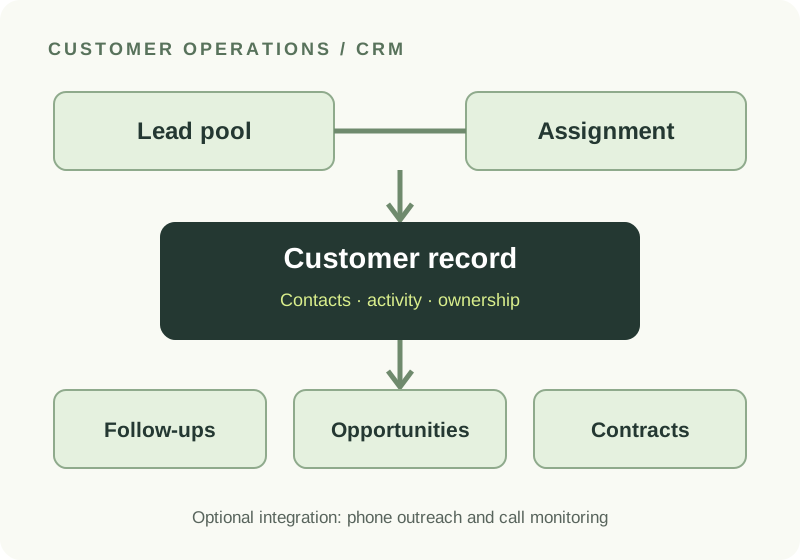
The material supplied for this system describes a continuous sales record, rather than separate spreadsheets and conversations.
Record leads, place them in a shared pool, and assign or claim ownership.
Keep communication history, visits, and next actions alongside the record.
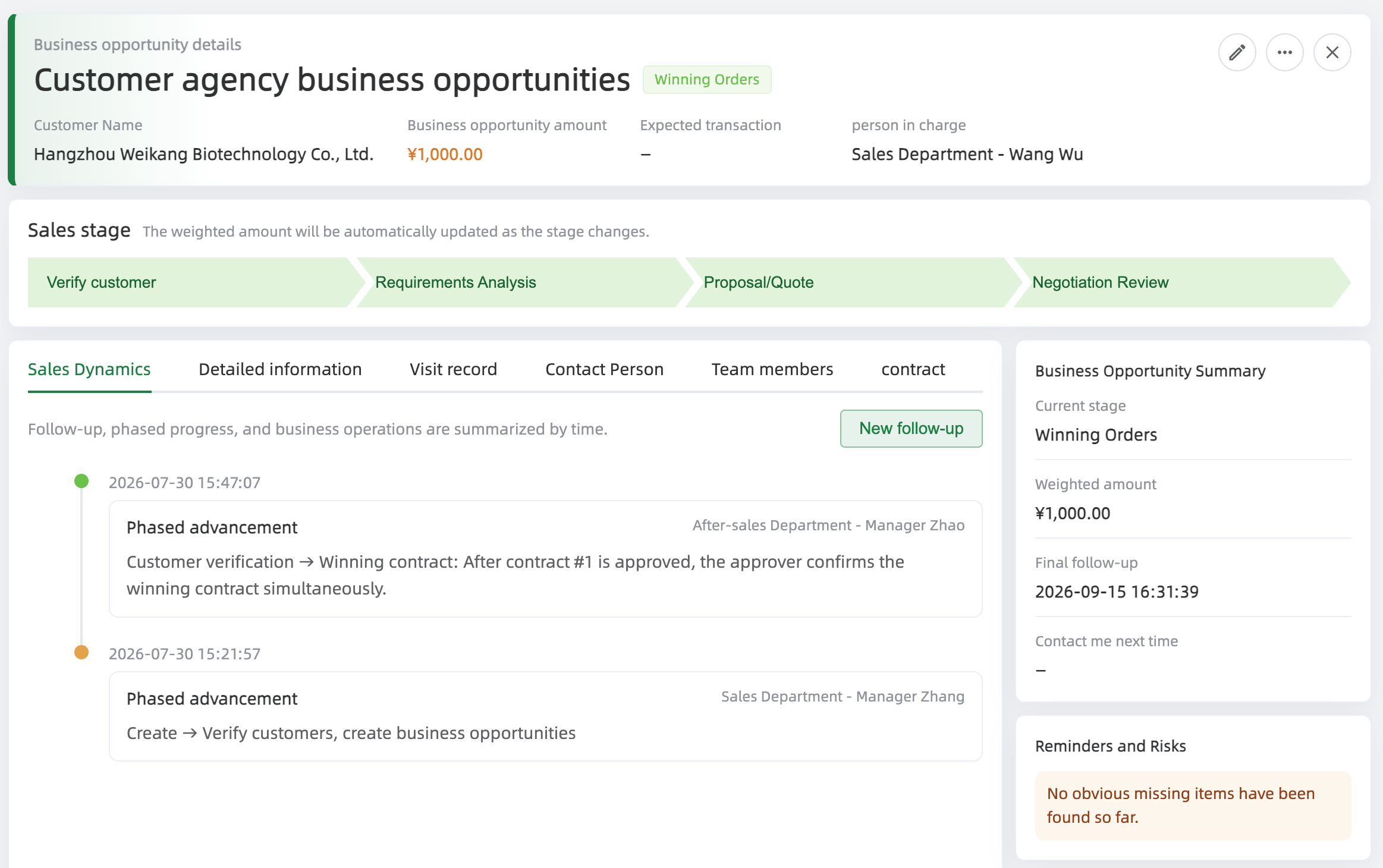
Track deal stages, expected value, timing, and the team involved.
Connect contracts and supporting files to the customer and opportunity.
02 / System view
Customer and contact details form the center. Leads, follow-ups, opportunities, and contracts remain linked, so a handoff has context. Role and data permissions help teams manage visibility.
Enterprise data sourcing and phone outreach are optional integrations described in the source material; they are not required for the core CRM workflow.
03 / Capabilities
Manage intake, assignment, ownership, and conversion into customer records.
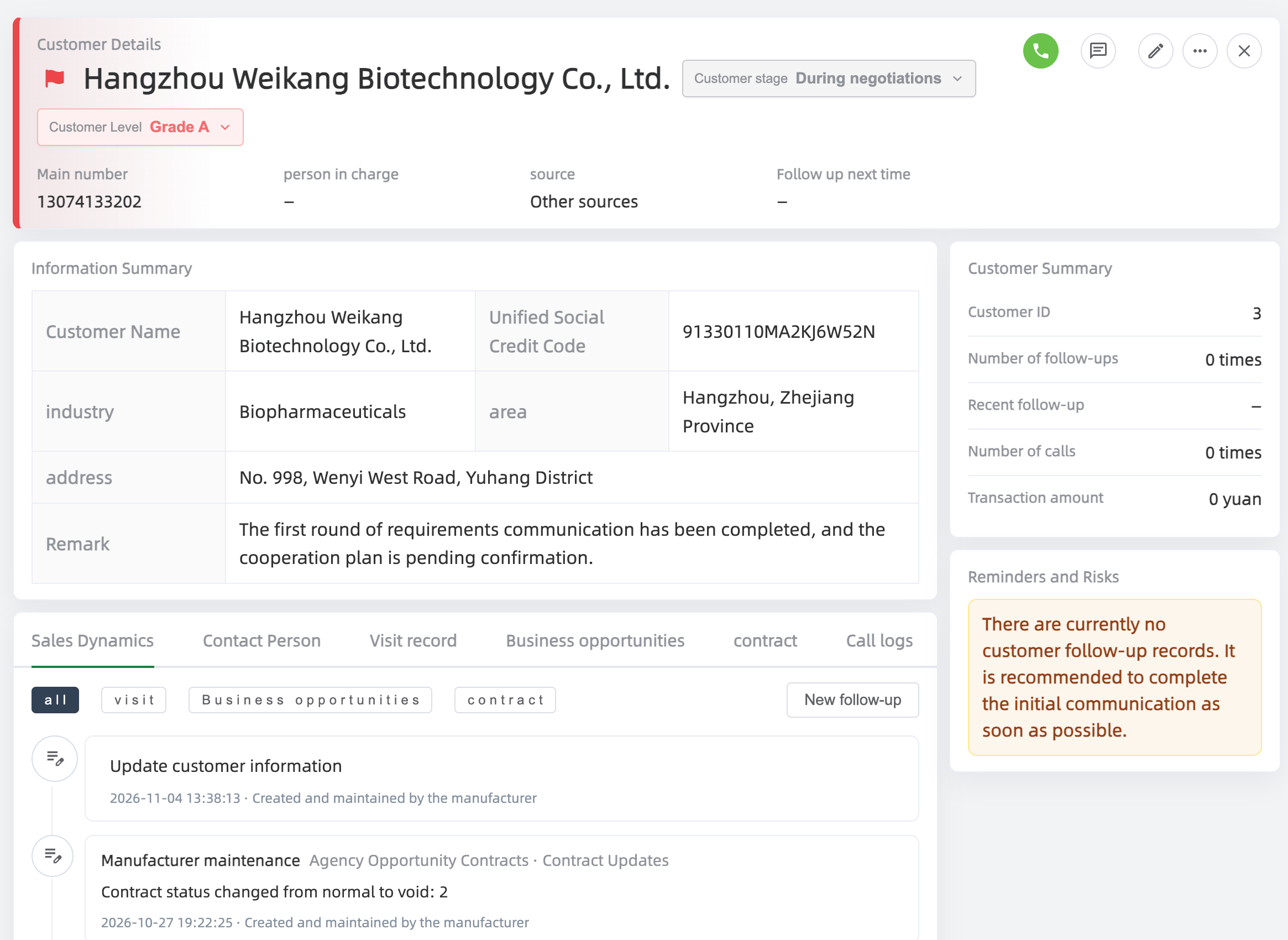
Store customer profiles, multiple contacts, and a history of interactions.
Record outcomes and plan the next action without losing prior context.
Track stages and keep agreement information linked to the sales journey.
Review pipeline progress and organize access by role and data permission.
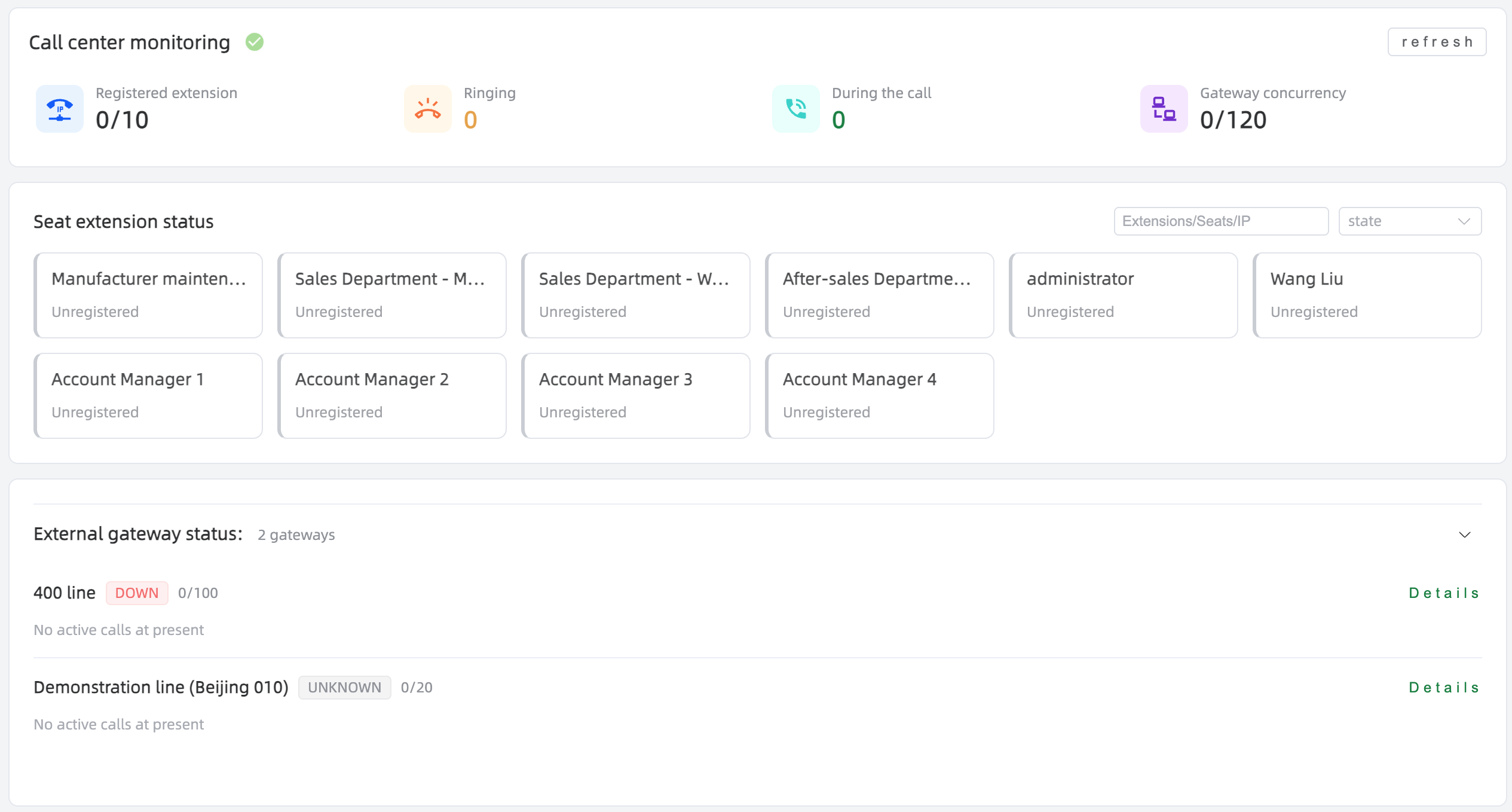
Connect telephony for outreach, call records, and operational monitoring where configured.
04 / Interface
These are demonstration screens supplied by the studio. They illustrate the interface and do not represent customer results or a live service session.
Explore CRM
Tell us about your lead sources, team workflow, and calling requirements.